Menu bar app for macOS
Epoch time, one click away.
Paste a timestamp and Epocher figures out the rest. Seconds or milliseconds, local time or UTC, it all shows up in your menu bar the moment you need it.
It has been 1,790,566,575 seconds since 1 January 1970.
This one works. Paste a timestamp.
Nothing here yet. Copy a value or paste a timestamp and it shows up in your history.
What it does
Seven things, done without friction.
A fast, focused converter that lives where you need it and gets out of the way when you don't.
Live, two-way conversion
Paste a timestamp to see the date, or pick a date to get the timestamp. Everything updates as you type.
1790561638 ⇄ Sep 27, 9:13 PMThree formats at a glance
Local time with its time zone, UTC and ISO 8601, side by side. No offset math at 2 a.m.
09:13 PM CDT · 02:13 AM UTCSeconds or milliseconds, detected
Paste a 10- or 13-digit value and Epocher picks the right unit. Flip the s and ms toggle if you want to choose.
1790561638357 → msCalendar and time picker
Tap a day and dial in hours, minutes and seconds. Handy for backdating, scheduling and building test data.
Sep 27 2026 · 21:13:58One-click copy
Copy any format with a single click. A checkmark tells you it's on your clipboard.
2026-09-28T02:13:58.357Z ✓History of every copy and paste
Everything you copied or pasted stays one click away, tagged by format.
UNIX · ISO · LOCAL · UTCMenu bar native
Summoned with a keystroke and gone when you click away. No window clutter and no Dock icon.
↻ back to now
New in 2.1
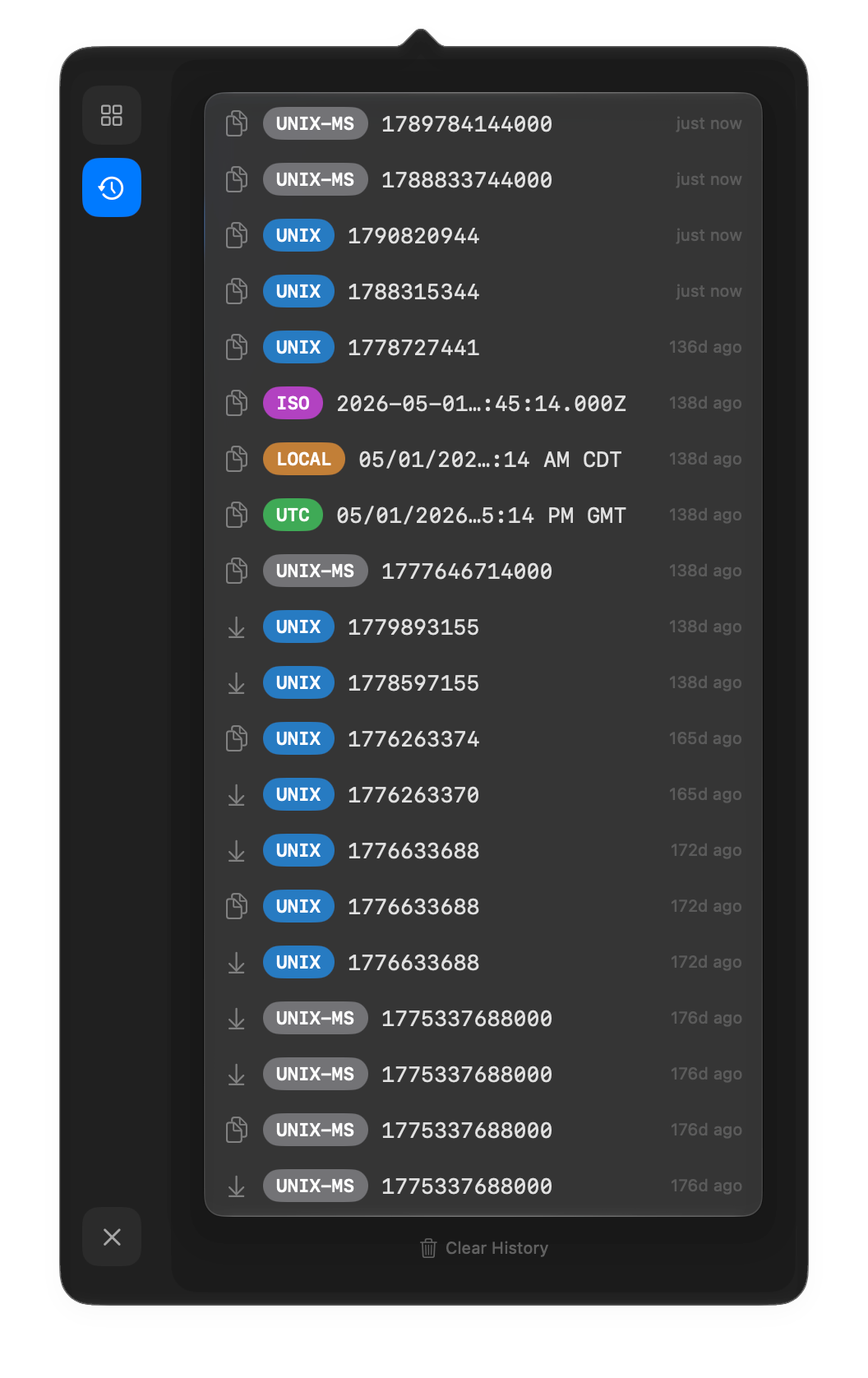
Every copy and paste, one click away.
The history view keeps each value you copied or pasted, tagged by format, so the timestamp from this morning's incident is still there this afternoon.
- UNIX
- UNIX-MS
- ISO
- LOCAL
- UTC
Built for
Anyone who has squinted at a 13-digit number.
ts=1718380721Developers
Debugging logs without pasting numbers into a search bar.
created_at_msData engineers
Reconciling timestamps across tables, pipelines and exports.
02:13 UTCOps and SRE
Correlating events across time zones in the middle of an incident.
1790561638357?Everyone else
Anyone who has wondered what time a 13-digit number actually is.
- accounts to create
- 0
- data collected, per the App Store privacy label
- None
- download, native to macOS
- 201 KB
What is epoch time?
Epoch time, or Unix time, counts the seconds since 00:00:00 UTC on 1 January 1970. Logs, databases and APIs love it because it is compact and has no time zone. Humans can't read it, which is why Epocher exists.
Does it handle milliseconds?
Yes. Paste a 10-digit value and Epocher reads it as seconds; paste 13 digits and it switches to milliseconds on its own. The s and ms toggle lets you pick the unit yourself.
Which time zones does it show?
Every timestamp is shown in your Mac's local time zone, in UTC and as an ISO 8601 string, side by side.
Is Epocher free?
Yes. Epocher is free on the Mac App Store and needs macOS 15 or later.
Does it collect any data?
No. There are no accounts and no telemetry, and the App Store privacy label states that the developer does not collect any data from the app. Read the privacy policy.
What does the history view keep?
Every value you copy or paste in Epocher, tagged by format (UNIX, UNIX-MS, ISO, LOCAL or UTC), with how long ago it happened. Clear it any time.